Purpose
In this section, the conditions under which the mould will reduce its temperature until the part can be demoulded are configured. The cooling rate is critical for determining the cycle time and the final properties of the part.
 Access: You can access this window by clicking the Cooling Stage icon in the main toolbar or go to Data -> Process Parameters -> Cooling stage.
1. General Parameters
Regardless of the chosen method, the following must be defined:
- Room Temperature (ºC)
- The ambient temperature in the cooling station area.
Note: This may differ from the oven area temperature if the plant has thermally separated zones. - Cooling Time (min)
- Total duration of the cooling cycle.
- Water Temperature (ºC)
- Required only if water spray is used.
2. Cooling Types
The software allows selecting from four modalities:
- Still Air: Natural convection cooling.
- Forced Air: Use of fans. Requires setting the Air Intensity (1 to 5).
- Water Spray: Cooling via water atomizers. Note: This mode uses forced air by default to assist the spray.
- Mixed: Allows combining the above methods in specific time periods.
3. Mixed Mode Configuration (CRITICAL)
Important: When using Mixed mode, ensure that the sum of all periods does not exceed the total Cooling Time.
This mode offers the highest flexibility for complex cycles:
- Overlapping: Water cooling can overlap with either of the two air modes.
- Restriction: "Still Air" and "Forced Air" periods cannot overlap with each other.
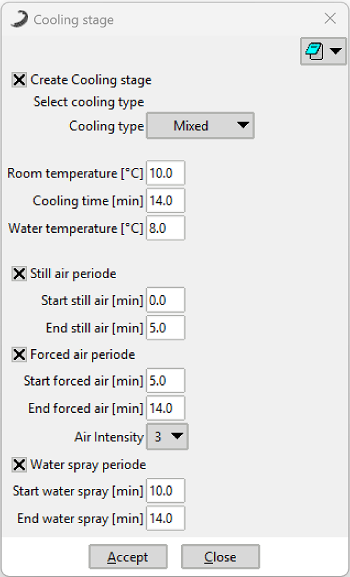 Figure 1: Cooling Stage window showing the Mixed cooling configuration.
4. Visual Reference: Cooling Modalities
The interface dynamically adjusts the available fields based on the selected Cooling Type:
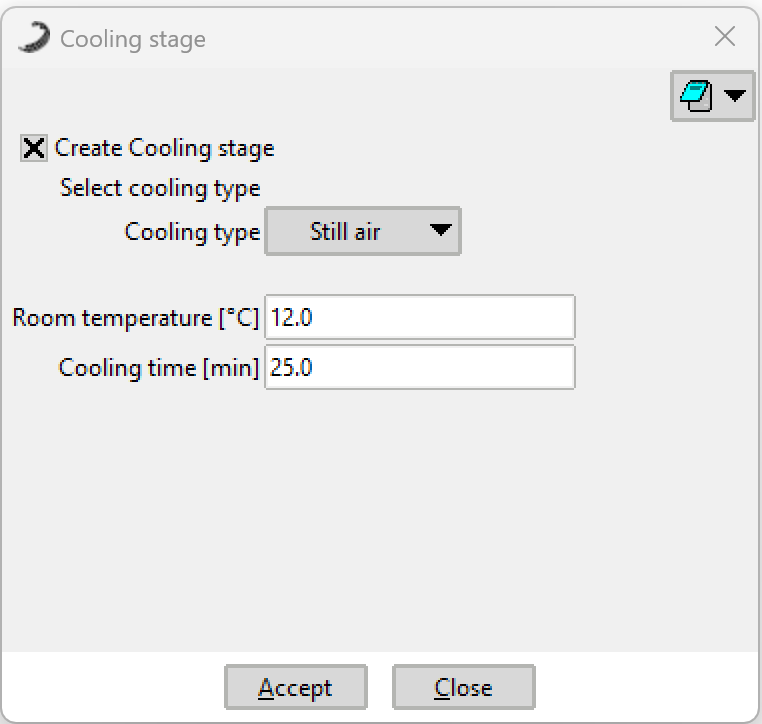 Still Air Mode
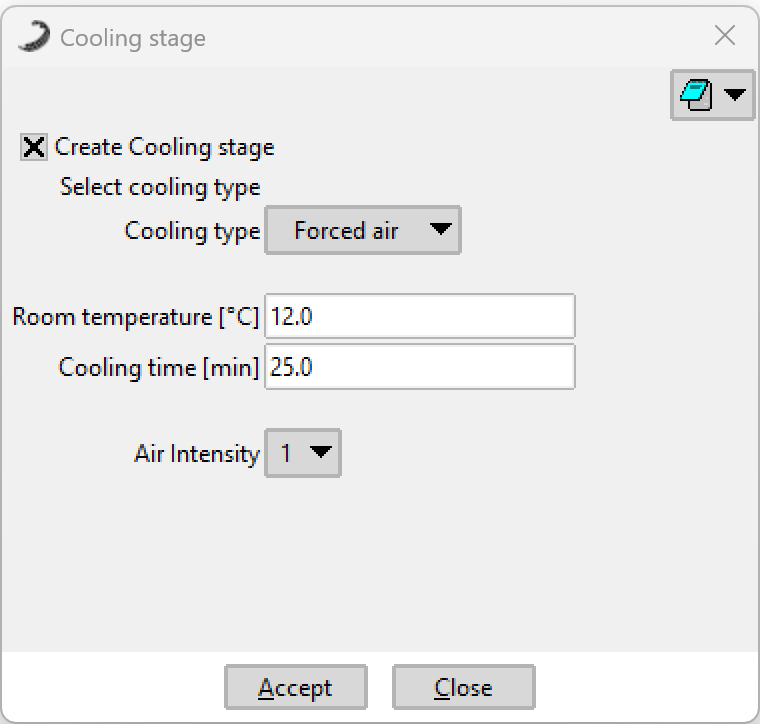 Forced Air Mode
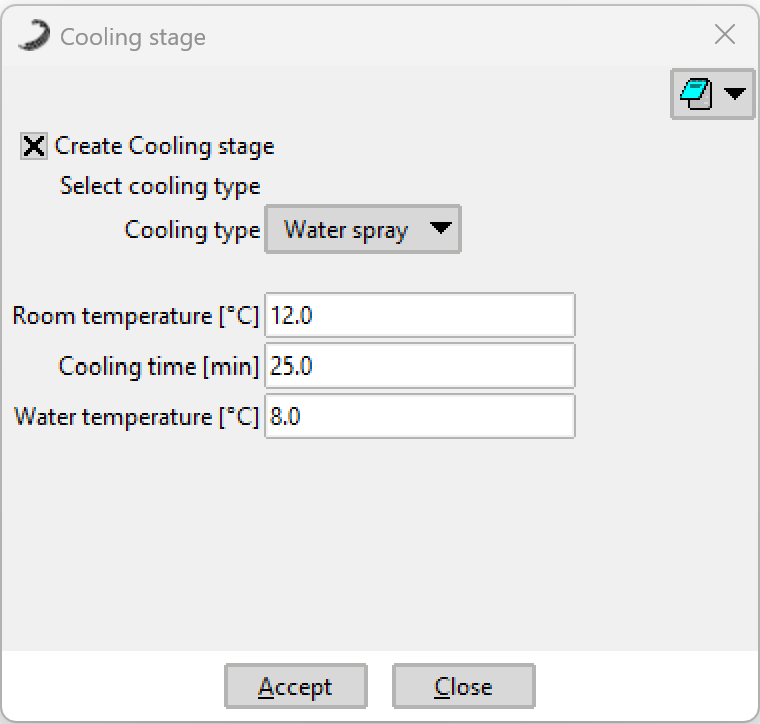 Water Spray Mode