Purpose
In this window, the exact location of the mould within the machine's working volume is defined. These parameters ensure that centrifugal forces and rotational movements are correctly calculated based on the distance of the mould from the primary and secondary axes.
 Access: You can access this window by clicking the Mould Position icon in the main toolbar or go to Data -> Process Parameters -> Mould position.
1. Arm Type Configuration
The software allows selecting from three standard arm configurations. The interface will adapt to request the specific dimensions for each:
- Straight Arm: Standard configuration where the plates are axially aligned with the arm.
- Offset Arm: For moulds mounted off the main axis. Requires defining the distance between the plate and the primary axis.
- C Arm: C-shaped structure that allows mounting the mould centered or on one of the plates.
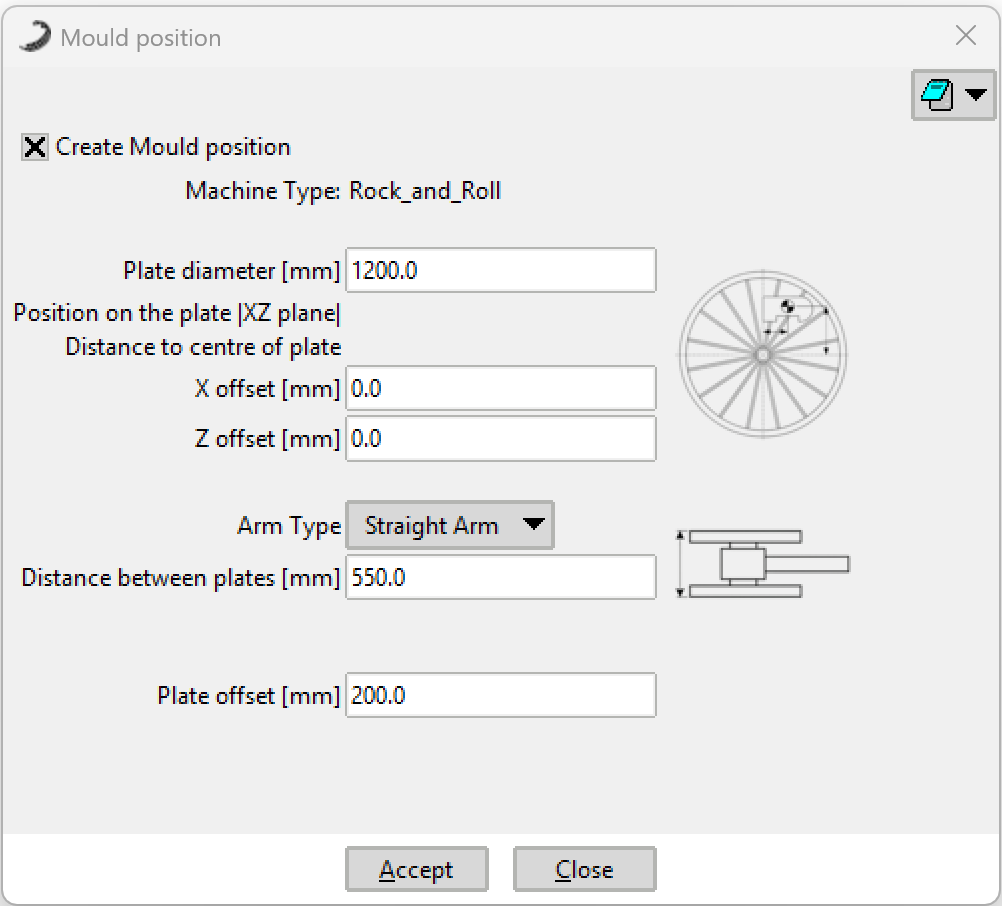 Straight Arm
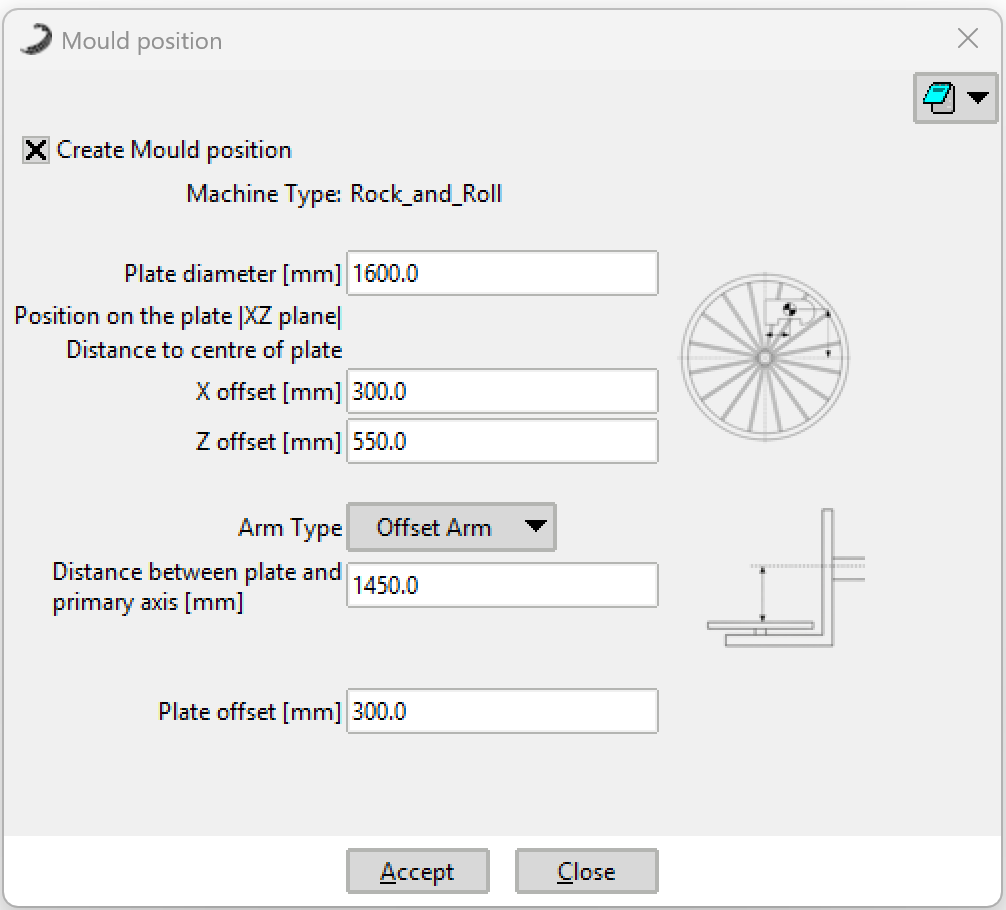 Offset Arm
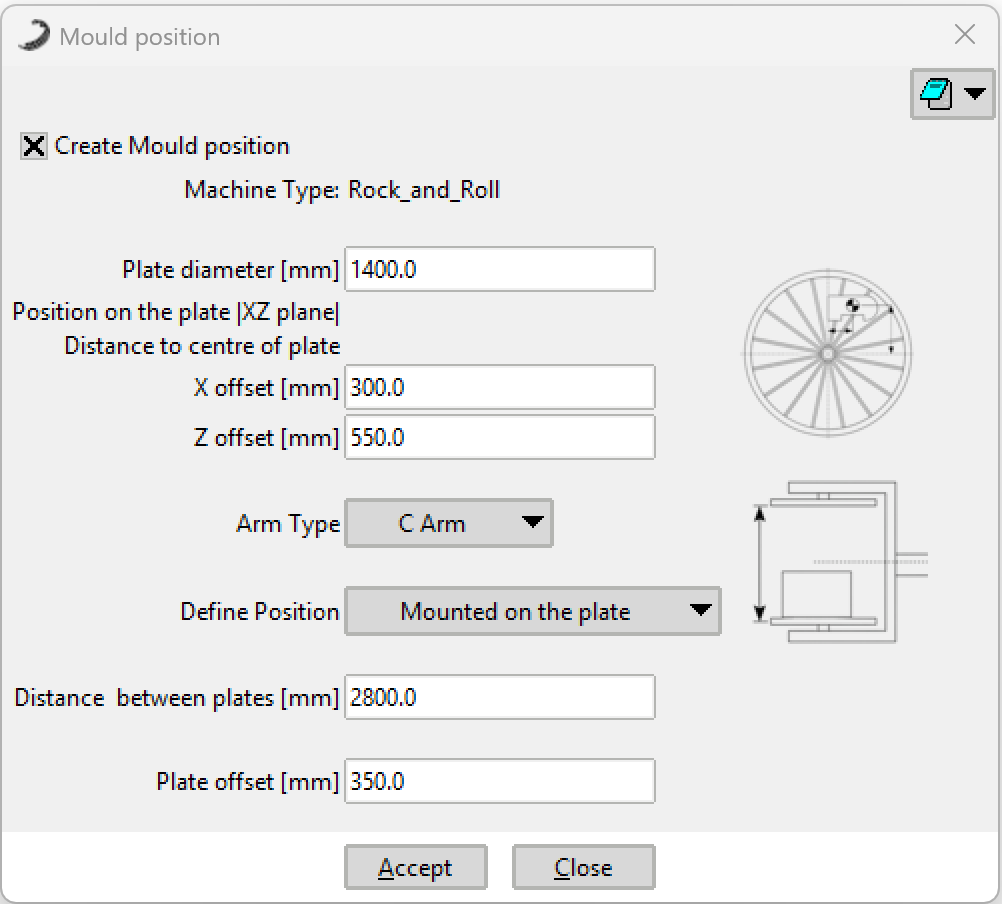 C Arm (Plate mounted)
2. Plate and Mounting Parameters
- Plate Diameter (mm)
- Diameter of the spider or mounting plate.
Note: If this value is left at 0, the solver assumes the mould is attached directly to the gearbox flange. In this case, there will be no airflow obstruction caused by the spider plate. - Plate Offset (mm)
- The distance between the spider (plate) and the lowest part of the mould. This parameter is vital for faithfully representing the airflow between the two and its cooling/heating effect.
- X Offset / Z Offset (mm)
- Distance from the center of the plate to the centroid of the mould in the XZ plane. This represents the off-centering of the mould on the spider.
3. Verifying the Position
Verification Tip: You can verify if the mould is correctly positioned by importing the generated mesh file:
This check can be done after the simulation or even while the simulation is in progress by opening a NEW SIMOULDING instance to ensure the kinematic setup is as intended.
Warning: Don't import it into the same project !
[Project_Name]_view_in_position.msh via Files -> Import -> SIMOULDING mesh...
This check can be done after the simulation or even while the simulation is in progress by opening a NEW SIMOULDING instance to ensure the kinematic setup is as intended.
Warning: Don't import it into the same project !