Standardized Unit System
To ensure the accuracy of thermo-fluid dynamic calculations, SIMOULDING operates under a strictly standardized unit system. Consistency between CAD model dimensions and the values entered in the data fields is fundamental to obtaining realistic thickness distributions and cycle times.
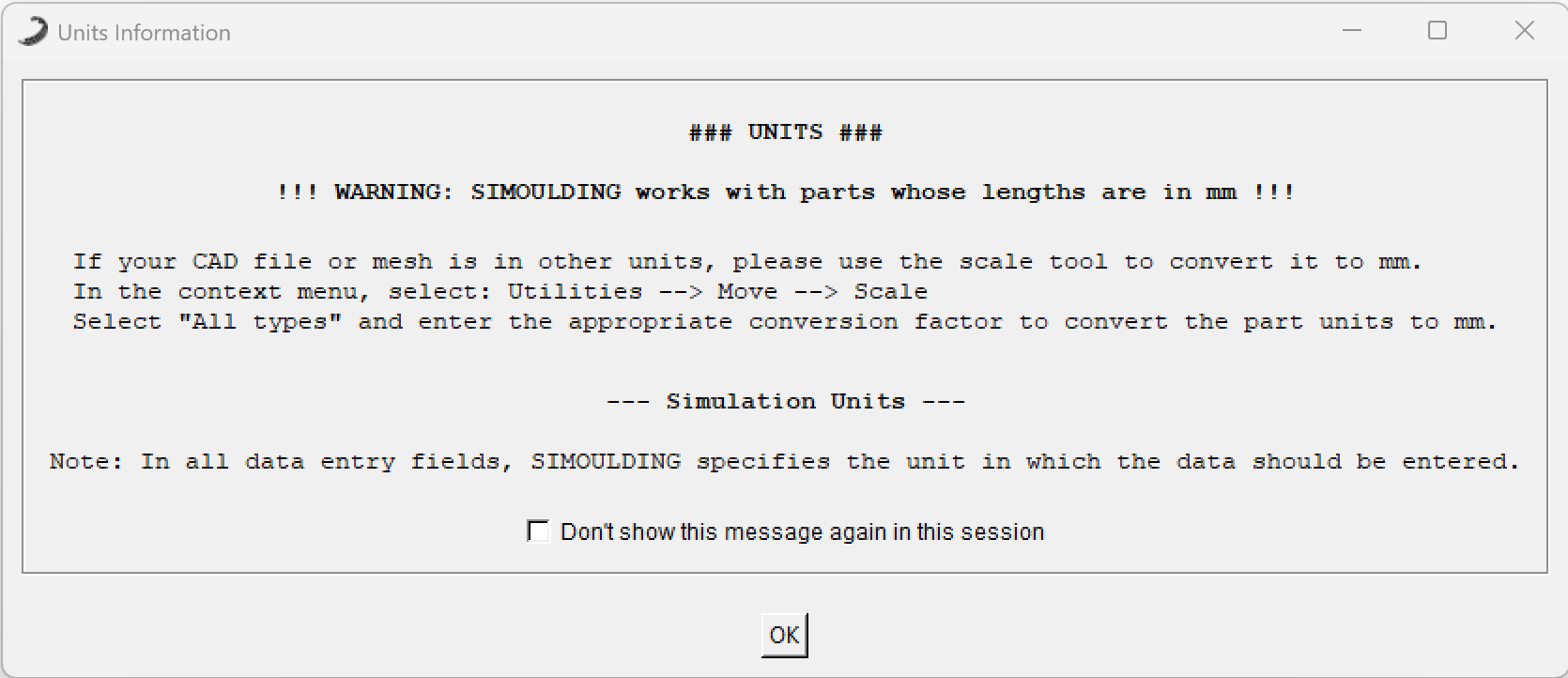 Figure 1: Units Information warning displayed at startup.
1. Geometric Scale: Millimeters (mm)
The calculation engine is optimized for millimeters. It is a critical rule that 1 unit in the workspace equals 1 real millimeter.
Warning: If a CAD file is imported in inches or meters without proper scaling, the software will calculate incorrect thermal inertia, volumes, and material distribution, effectively invalidating the simulation results.
2. Correcting Scale (Scale Tool)
If the imported geometry is not in millimeters, you can adjust it within the interface without re-exporting the CAD file:
- Path: Utilities -> Move -> Scale
- Action: Select "All types" and enter the appropriate conversion factor (e.g., 25.4 for inches to mm, or 1000 for meters to mm).
3. Data Entry Units
While the geometry must always be in millimeters, SIMOULDING specifies the required unit for every other parameter directly in the data entry fields. Examples of standard units used include:
Temperature: Celsius (°C)
Charge Mass: Kilograms (kg)
Density: gr/cm³
Time: Specified in each field (min or sec)
Note: Always pay close attention to the unit indicated next to each input field. While most cycle stages are defined in minutes, certain specific parameters or interval settings may require seconds.