Purpose
This function allows identifying areas of the mould where air amplification systems based on the Coanda effect (commonly known as Venturi systems) are applied. By activating this option, the software significantly improves the convective coefficient in the selected zones, allowing for the simulation of strategies to promote material adhesion in cold spots or to accelerate localized cooling.
 Access: Click the Venturi Zones icon in the main toolbar or navigate to Data -> Mould Data -> Venturi zones.
1. Geometry and Assignment Rule
As with special thicknesses, the system requires working on delimited surfaces. If the surface is not defined, use the SIMOULDING geometry tool to partition the mould faces.
Crucial Assignment Rule: You must create and assign as many Venturi groups as there are physical amplifiers on the mould.
If you have two Venturi systems but assign both delimited areas to a single group, the air flow effect will be distributed across the entire combined area, resulting in a dilution of the amplification effect. To maintain simulation accuracy, each Venturi must have its own specific area of application.
If you have two Venturi systems but assign both delimited areas to a single group, the air flow effect will be distributed across the entire combined area, resulting in a dilution of the amplification effect. To maintain simulation accuracy, each Venturi must have its own specific area of application.
2. Configuration Parameters
- Flow amplification [x]
- Enter the catalog value provided by the system manufacturer. This value acts as a multiplier for the base air flow.
- Applied to (Heating / Cooling)
- Select the process stage where the system is active. It can be used to eliminate cold spots during heating or to reduce cycle time during cooling.
Note: Multiple groups can be managed independently. Use the Draw button to verify that each delimited surface is correctly linked to its corresponding amplifier group.
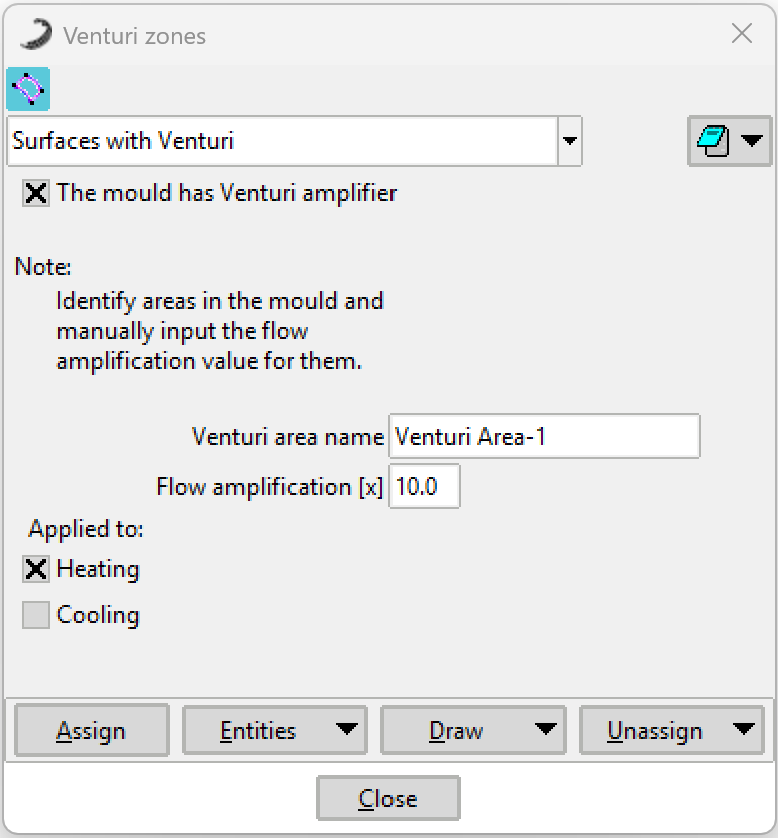 Figure 1: Venturi Zones configuration window.
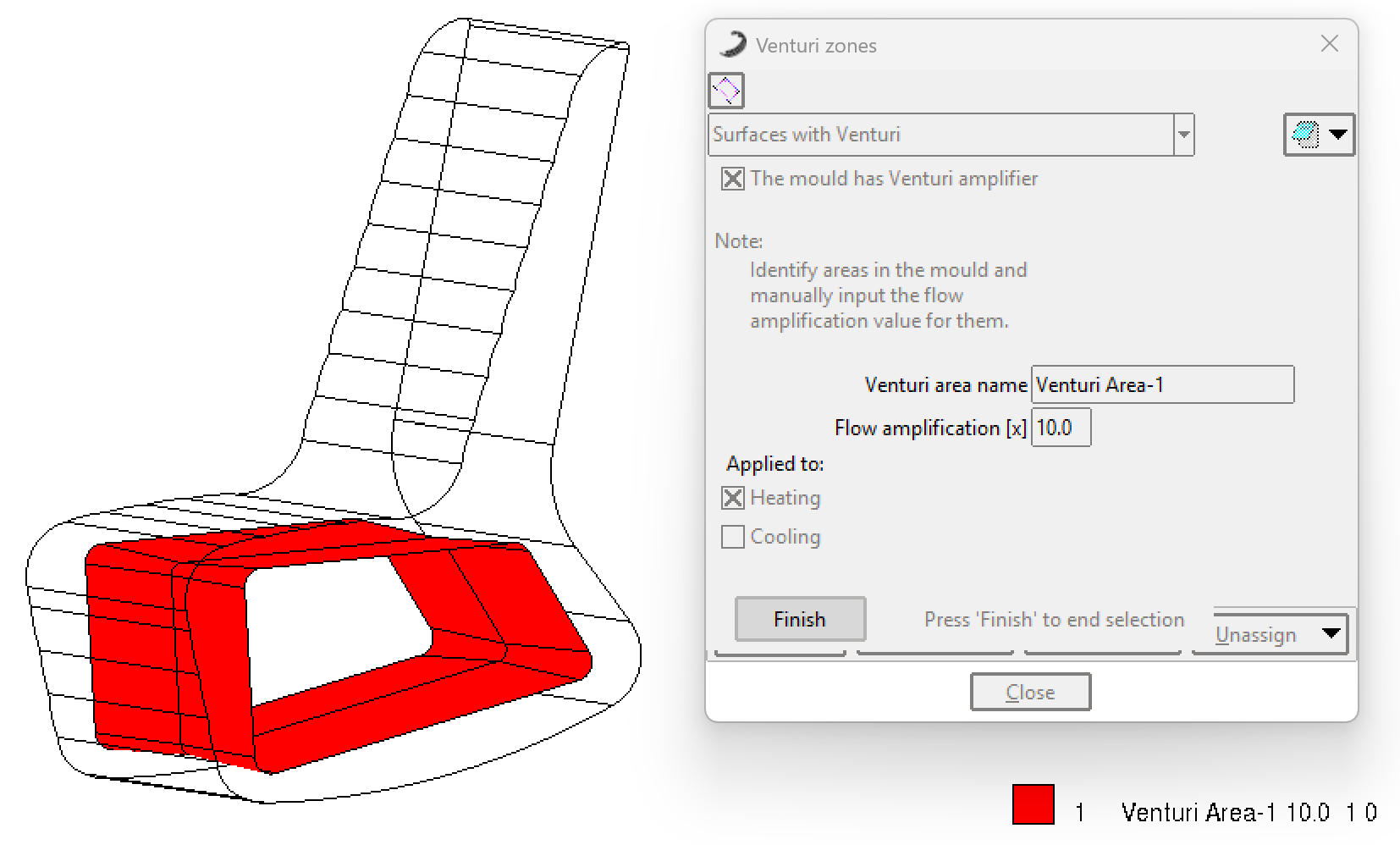 Figure 2: Example of assigning delimited surfaces for Venturi effect.